
Note: I set this up around 2020, long before I started using Claude, so the build was all me. Claude helped me write this post, and sat with me while I re-checked the settings for it.
The sandwich shop at my local train station has my old Linksys router hanging from a zip tie. I put it there around 2020, and it’s still there.
They wanted guest Wi-Fi they could switch off in the evening. So I flashed my old Linksys with Tomato, set a schedule, and zip-tied it to the wall.
About half a year later their KPN modem died, taking the debit card machine and the phone with it. I dropped off a Stonesoft FW-315 firewall and an ATA from my own spare kit to bridge the gap. (Why do I own an enterprise firewall? Dumpster dive at my employer at the time, with approval. I had the rack-mount versions too and ran those at home for a while, until I nuked the 10G card by hot-swapping it.) A week or two later KPN sent a new modem and my gear went home. The Linksys stayed.
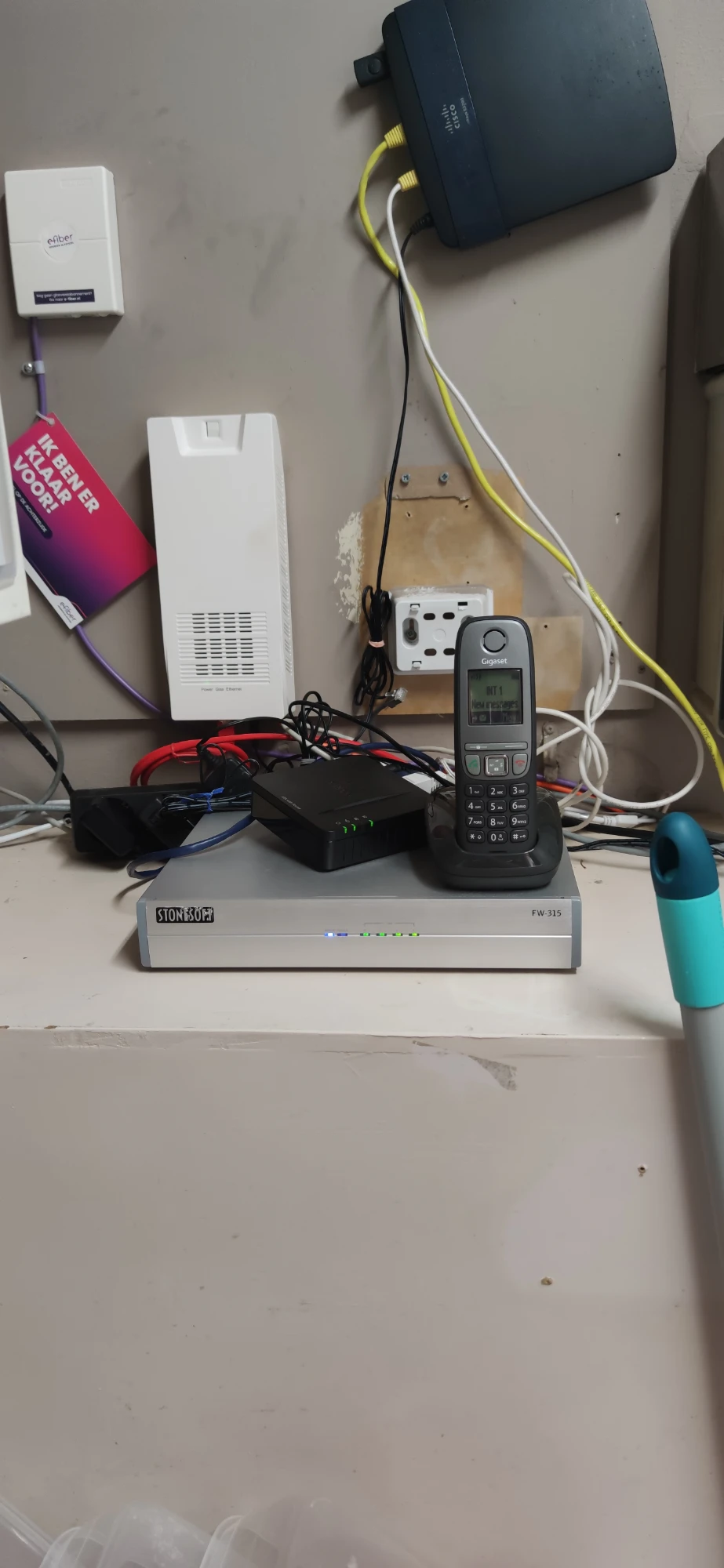
The setup
The router is a Linksys E3200 from the Cisco era: a 500 MHz Broadcom chip and 16 MB of flash. It runs AdvancedTomato, a nicer-looking interface on top of Shibby’s Tomato build. An Access Restriction rule in Tomato switches the Wi-Fi off every day from 8 PM to 5:30 AM, without anyone having to remember. The rule is called “Gesloten”, Dutch for “closed”. It’s an open network, no password. Not that many people use it, I think, but it’s there.
There’s a bandwidth limit too: all guests together share at most 10 Mbit/s down and 1.2 Mbit/s up, at low priority. Enough for checking your phone over a sandwich, not enough to slow the shop down. DHCP leases are just 10 minutes, since nobody stays long.
The captive portal that never was
The plan was a simple “click to accept” page, stored on a USB stick plugged into the router. Captive portals were a pain in the arse to get working back then: you have to block access but still allow just enough for the portal page itself to load. I fought with it for a while and then just gave up. The firewall script still opens port 5280 for guests, where the portal was supposed to live. The door’s still propped open for a portal that never moved in.
Keeping guests away from the till
These days the shop’s network looks like this:
                    KPN modem
       ┌───────────────┼───────────────┐
    Linksys      Payment company      Dahua NVR
  (guest Wi-Fi)    router (card       (camera
                 machine + till)      network)
The KPN modem sits in the middle, and everything else hangs off it on its own network: the Linksys for guests, a router from the company that manages the card machine and register, and the NVR for the cameras (more on those in part 2).
NAT on its own only blocks one direction, though: guests can still reach out to anything on the KPN side. Back then I wrote a firewall script for that, and I was pretty sure it covered everything.
While writing this post I dug it up and checked the live firewall rules. Turns out it only protected my management network on the Linksys, not the shop’s. Guests could reach the KPN LAN just fine; the NVR and the Experia Box were simply saying no on their own. So I added two lines on the spot. The script now looks like this:
#!/bin/sh
LAN_IP="$(nvram get lan_ipaddr)"
LAN_NET="$LAN_IP/$(nvram get lan_netmask)"
PRIVATE_IF="br0"
GUEST_IF="br1"

PORT_DHCP="67"
PORT_DNS="53"
PORT_cp="5280"

STATE_NEW="-m state --state NEW"
REJECT="REJECT --reject-with icmp-host-prohibited"
REJECT_TCP="REJECT --reject-with tcp-reset"

# limit guests to essential router services (icmp (echo/reply), dhcp, dns)
iptables -I INPUT         -i $GUEST_IF -j $REJECT
iptables -I INPUT -p tcp  -i $GUEST_IF -j $REJECT_TCP
iptables -I INPUT -p icmp -i $GUEST_IF -j ACCEPT
iptables -I INPUT -p udp  -i $GUEST_IF --dport $PORT_DHCP -j ACCEPT
iptables -I INPUT -p tcp  -i $GUEST_IF --dport $PORT_DNS  -j ACCEPT
iptables -I INPUT -p udp  -i $GUEST_IF --dport $PORT_DNS  -j ACCEPT
iptables -I INPUT -p tcp  -i $GUEST_IF --dport $PORT_cp  -j ACCEPT
iptables -I INPUT -p udp  -i $GUEST_IF --dport $PORT_cp  -j ACCEPT

# deny access to private network by guests (internet only)
iptables -I FORWARD        -i $GUEST_IF -d $LAN_NET $STATE_NEW -j $REJECT
iptables -I FORWARD -p tcp -i $GUEST_IF -d $LAN_NET $STATE_NEW -j $REJECT_TCP

# deny access to the shop's KPN LAN by guests (added while writing this post)
iptables -I FORWARD        -i $GUEST_IF -d 192.168.2.0/24 $STATE_NEW -j $REJECT
iptables -I FORWARD -p tcp -i $GUEST_IF -d 192.168.2.0/24 $STATE_NEW -j $REJECT_TCP
The proof it works: before, opening the Experia Box from the guest Wi-Fi just timed out. Now it’s refused instantly, by the Linksys. Guests can’t reach the router’s admin page either; I checked that too.
The one weak spot: client isolation. I thought it was on, but the guest network runs on a virtual wireless interface, and Tomato doesn’t offer isolation there. So on this open network, guests could in theory see each other’s devices. Same advice as any public Wi-Fi: keep file sharing off on your phone and laptop.
Six years later
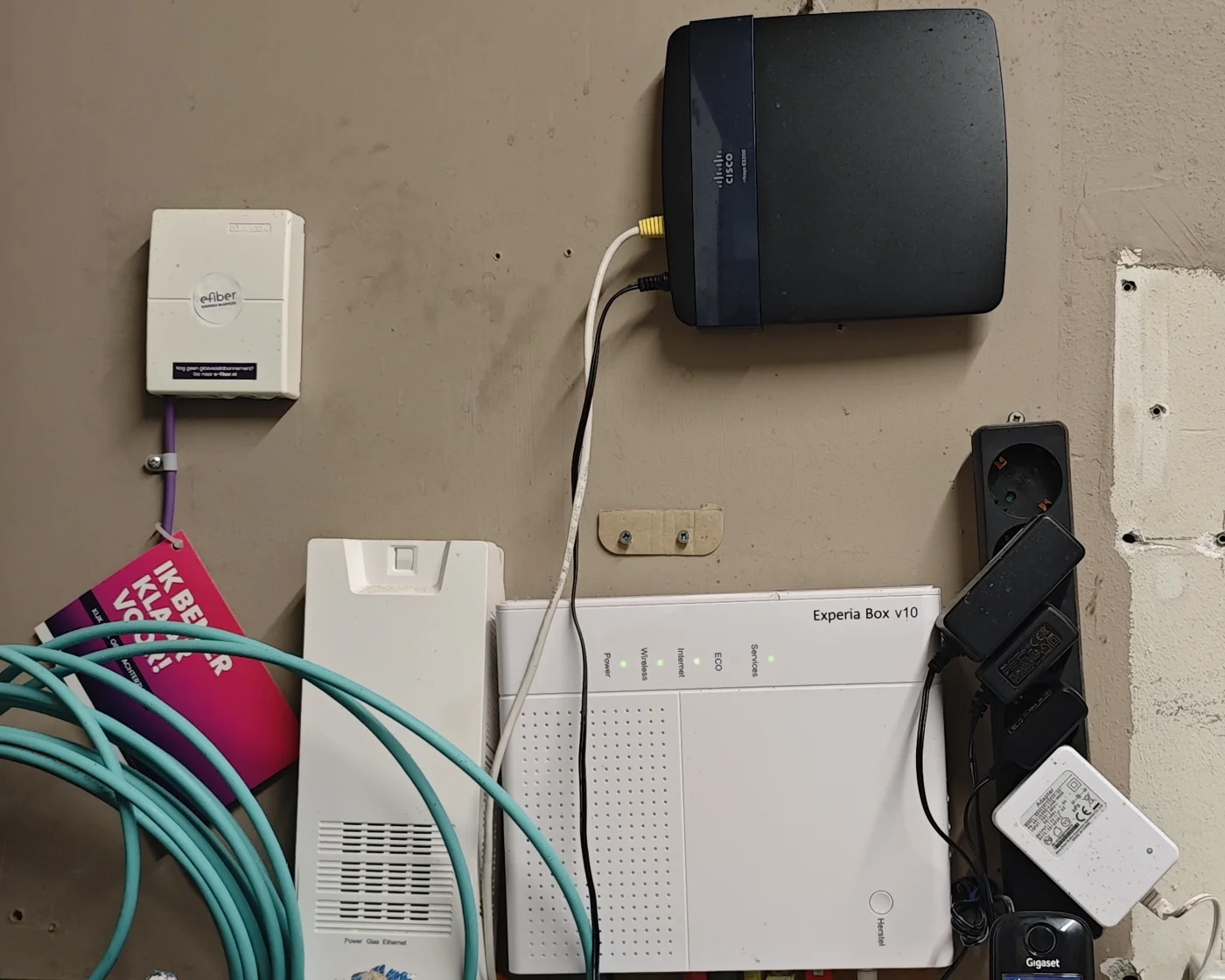
It’s had no firmware updates since it went up. When I logged in for this post, it greeted me with an “Update Available!” banner. It’s running AdvancedTomato 3.4-140, and the banner offers 3.5-140. That update is four years old. So I’m exactly one version behind on firmware that stopped moving years ago. And what am I missing? According to the changelog, it’s a GUI-only update: a new dark colour scheme, a newer jQuery, and fixed timezones for Moscow and Kaliningrad. I think the sandwich shop will survive. Six years without updates isn’t exactly best practice, which is one more reason the guests are walled off from everything else.
It reboots itself every night at 5 a.m., while the Wi-Fi is off anyway, so nobody ever notices. Other than that, it has never gone down. Not once. That bitch won’t die. The owner knows it’s mine, and the plan is simple: it stays until it dies. At this rate, that’ll be when I retire.